> For the complete documentation index, see [llms.txt](https://help.craftsmanplus.com/llms.txt). Markdown versions of documentation pages are available by appending `.md` to page URLs; this page is available as [Markdown](https://help.craftsmanplus.com/play/general/actions/hide-show-layer.md).
# Hide/Show Layer
The **Hide Layer** and **Show Layer** actions control a layer's visibility when they fire. Hide Layer makes its target invisible, Show Layer makes it visible. Use them to reveal popups, toggle UI, clear tutorial overlays, and bring elements on screen in response to anything that can trigger an action.
***
#### How it Works
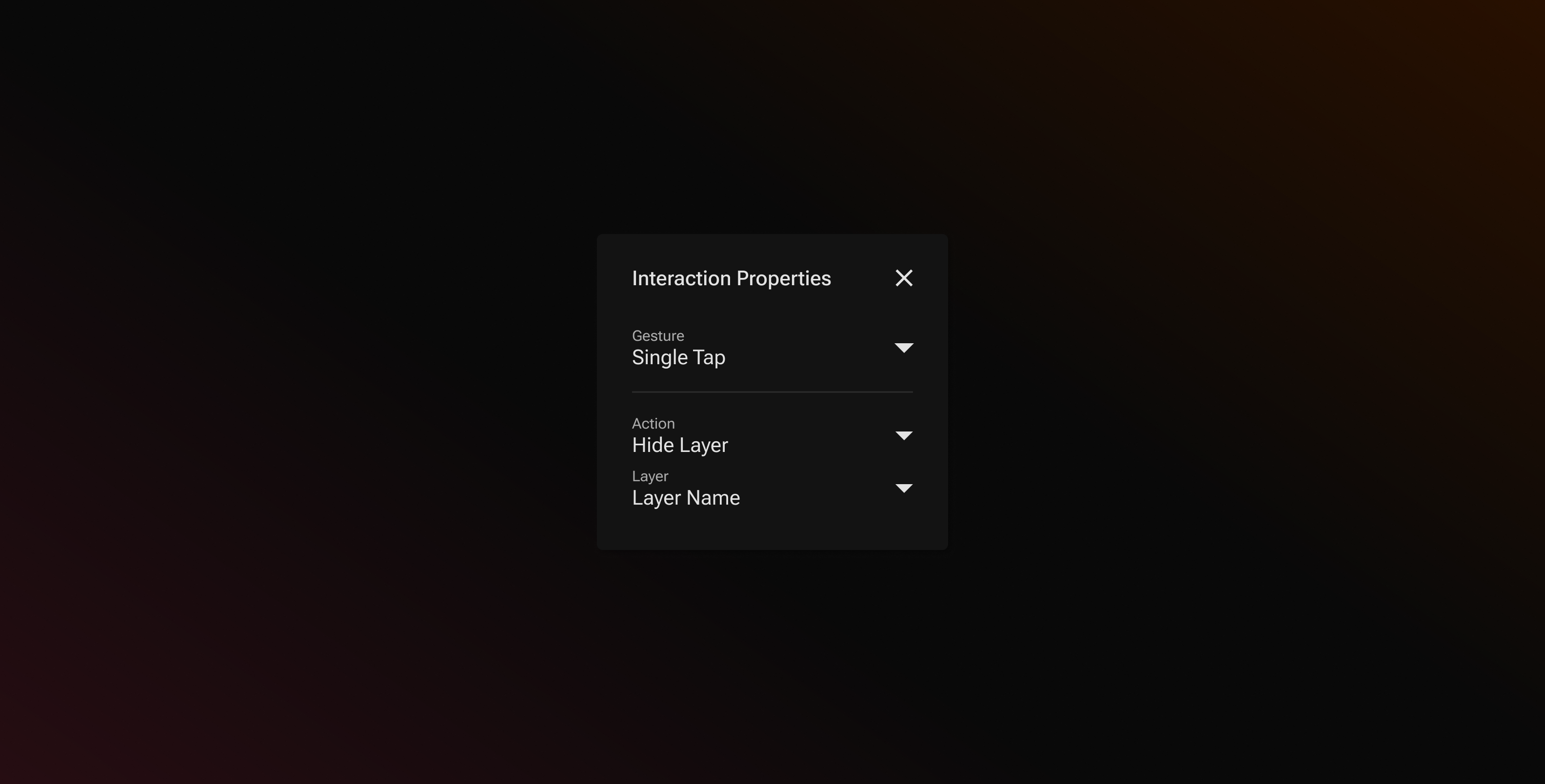
When you select **Show Layer** or **Hide Layer** from the **Action** dropdown, a **Layer** dropdown appears below it where you choose the layer the action targets. When the action fires, that layer is shown or hidden.
* **Hide Layer** makes the target invisible. If the layer has an On Exit [animation](/play/properties/animations.md), it plays as the layer disappears.
* **Show Layer** makes the target visible. If the layer has an On Enter animation, it plays as the layer appears.
If a target layer is later deleted, the **Layer** field reads **\[Layer Deleted]** and the action does nothing when it fires. Pick a new target or remove the action.
Showing a layer that is hidden, or outside its time on the timeline, restarts the layer's timing from that moment. It plays its On Enter animation and stays for its full duration, then leaves with its exit animation as usual. Videos and Sequences restart from the first frame unless their playback is set to Loop or Rewind. Showing a layer that is already visible does nothing.
Show Layer and Hide Layer are not available in the [Global Timer](/play/settings/global-timer.md).
For regular layers, the change lasts for the rest of the current scene. If the playable returns to that scene later, the layer is back to how you built it. [Global Layers](/play/layers/global-layers.md) behave differently, covered below.
{% hint style="info" %}
*A layer set to appear only in certain orientations stays hidden in the others, even after a Show Layer action.*
{% endhint %}
#### Global Layers
Show Layer and Hide Layer treat a [global layer](/play/layers/global-layers.md) as one layer across the whole playable, not a separate copy per scene.
* **The action applies everywhere.** Hiding a global layer in one scene hides it in every scene.
* **A hide sticks.** A hidden global layer stays hidden as the playable moves through scenes, even in scenes where its timeline would normally bring it on screen, and even when returning to a scene it was visible in before.
* **Show puts it back on its timeline.** After a Show Layer action, the layer follows its regular timing in every scene, even if it was originally hidden in the Layers Panel. A later Hide Layer action hides it again.
* **Restarting the playable resets everything.** Every layer returns to its starting visibility when the playable restarts. A Restart Scene action does not clear a hide; only a full playable restart does.
Within a single scene, a global layer responds to Show and Hide the same way any layer does, animations included.
{% hint style="info" %}
*Hiding a global layer's parent in the Layers Panel hides all of its child layers at once. Each child keeps its own toggle, so you can show individual children again afterwards.*
{% endhint %}
#### Common Patterns
* **Popup**: build an info panel, hide it in the Layers Panel, and add a Show Layer action to an info button. A close button inside the panel hides it again.
* **Tutorial overlay**: a tap hint that hides itself on the first Single Tap, so it never lingers once the user starts playing.
* **Persistent HUD**: a global banner or menu that stays dismissed across every scene once the user closes it.
* **End card reveal**: keep the end card hidden and show it from the Global Timer or a progression Trigger when the playable wraps up.
---
# Agent Instructions
This documentation is published with GitBook. GitBook is the documentation platform designed so that both humans and AI agents can read, navigate, and reason over technical content effectively. Learn more at gitbook.com.
## Querying This Documentation
If you need additional information that is not directly available in this page, you can query the documentation by asking a question.
Perform an HTTP GET request on the following URL with the `ask` and `goal` query parameters:
```
GET https://help.craftsmanplus.com/play/general/actions/hide-show-layer.md?ask=&goal=
```
`ask` is the immediate question: it should be specific, self-contained, and written in natural language.
`goal` is what the user is ultimately trying to achieve, the reason they need the answer. Sharing it helps GitBook give you a better, more relevant answer. A goal is most helpful when it describes the outcome the user wants rather than restating the question. For example, with `ask=how do I create an API token`, a goal like `automate deployments from our CI pipeline` lets GitBook tailor the answer to that use case.
The response will contain a direct answer to the question and relevant excerpts and sources from the documentation.
Use this mechanism when the answer is not explicitly present in the current page, you need clarification or additional context, or you want to retrieve related documentation sections.